Best Open Source SIEM Tools for 2026: 8 Compared on Real Hardware
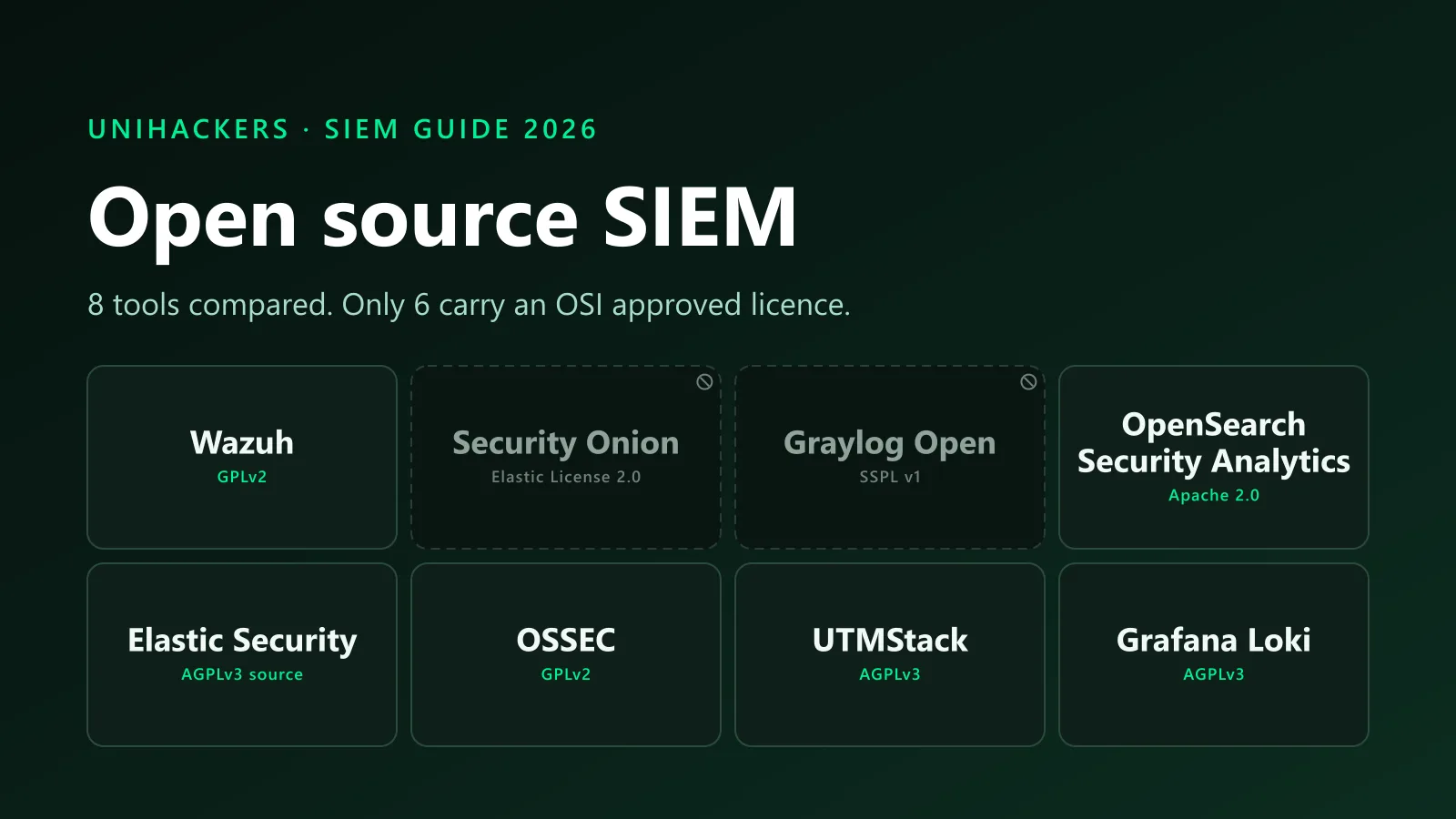
The best open source SIEM tools for 2026, compared on what nobody else checks: the real licence, the CPU, RAM and disk each one needs according to its own docs, what it costs to run, and which job it trains you for.
- Siem
- Soc
- Open Source
- Home Lab
- Detection Engineering
Key facts
- Wazuh's official quickstart (verified September 2026, version 4.14) sizes an all-in-one server at 4 vCPU, 8 GiB RAM and 50 GB of storage for 1 to 25 agents with 90 days of retention, and 8 vCPU, 8 GiB and 200 GB for 50 to 100 agents.
- Security Onion's hardware documentation (version 3, verified September 2026) sets the standalone minimum at 4 CPU cores, 24 GB RAM and 200 GB storage, and says to consider 32 GB or more for even a small amount of network traffic; the Eval mode needs 8 GB because it does not run Logstash or Redis.
- Security Onion's own code is licensed under the Elastic License 2.0, not an OSI approved open source licence, according to the LICENSE file in the Security-Onion-Solutions/securityonion repository (verified September 2026).
- Elastic added AGPLv3, an OSI approved licence, as an option for Elasticsearch and Kibana source code in September 2024, alongside SSPL and the Elastic License 2.0, per Elastic's licensing FAQ.
- Graylog moved its server code to the Server Side Public License v1 in November 2020 with the 4.0 release; SSPL is not OSI approved, so Graylog Open is source-available rather than open source.
- Splunk Free, per the Splunk Enterprise 10.4 admin manual, indexes a maximum of 500 MB a day, blocks search after repeated licence violations, does not trigger alerts, and removes user authentication.
- UTMStack's README (v11, verified September 2026) sizes the smallest node at 4 cores, 16 GB RAM and 150 GB disk for 50 data sources with 120 GB of hot log storage.
- Grafana Loki is licensed AGPL-3.0-only per the LICENSE and LICENSING.md files in the grafana/loki repository (verified September 2026, version 3.7.7), with the client libraries and push API under Apache 2.0; its documentation publishes no single-node minimum and rates monolithic mode at up to approximately 20 GB of logs a day.
TL;DR
The best open source SIEM tools for 2026 are Wazuh for a first SOC analyst job, Security Onion for network security monitoring, Graylog Open for log pipelines, OpenSearch Security Analytics for a clean Apache 2.0 backend, Elastic Security for enterprise detection engineering, OSSEC for host integrity, UTMStack for a small compliance shop, and Grafana Loki for a log store that runs on almost nothing. Six of the eight carry an OSI approved licence. Splunk Free is neither open source nor unlimited: it caps at 500 MB a day.
Every listicle on this query gives you ten names and zero numbers. Across the three pages ranking above this one, the words «RAM», «CPU cores» and «minimum requirements» appear once in total, in passing. None of them names a job.
So this article does the boring work. Every licence below was read from the project's LICENSE file or licensing FAQ. Every hardware figure comes from official documentation, linked, verified on 4 September 2026. Where a project publishes no minimums, I say so. And every tool gets a «do not use it when» field, because a list that never tells you to skip something is an advertisement.
Open source SIEM tools compared at a glance
| Tool | Licence | OSI approved | Minimum hardware (official) | Trains you for |
|---|---|---|---|---|
| Wazuh 4.14 | GPLv2 | Yes | 4 vCPU, 8 GiB, 50 GB (1 to 25 agents) | SOC analyst, Tier 1 |
| Security Onion 3 | Elastic License 2.0 | No | Eval: 4 cores, 8 GB, 200 GB. Standalone: 4 cores, 24 GB, 200 GB | Network security monitoring |
| Graylog Open | SSPL v1 | No | None published | Log management engineer |
| OpenSearch Security Analytics | Apache 2.0 | Yes | None published; 1 GB default heap, half of RAM recommended | Detection engineer (Sigma) |
| Elastic Security | AGPLv3 source, ELv2 binary | Yes (source) | None published; heap auto-sized | Enterprise detection engineer |
| OSSEC 4.2 | GPLv2 | Yes | None published; needs only make, gcc and libc | HIDS and compliance |
| UTMStack v11 | AGPLv3 | Yes | 4 cores, 16 GB, 150 GB (50 sources) | Small SOC or MSP generalist |
| Grafana Loki 3.7 | AGPLv3 | Yes | None published for one node; monolithic mode rated to about 20 GB a day | Log management, LogQL and Grafana |
Not on the list because it is not open source: Splunk Free, 500 MB a day, covered at the end of the tool section.
What «open source SIEM» means in 2026
A SIEM collects logs, normalises them, runs detection rules across them and gives an analyst a place to investigate. «Open source» has a precise meaning: the code is under a licence the Open Source Initiative has approved, such as GPL, Apache or AGPL. Several tools on every «open source SIEM» list fail that test, and the ranking pages either do not know or do not say. Three licence facts settle most of the forum arguments.
Elastic is open source again. In 2021 Elastic moved Elasticsearch and Kibana from Apache 2.0 to the SSPL and its own Elastic License, which is where the «ELK is no longer open source» line comes from. In September 2024 Elastic added AGPLv3 as an option for the free portions of that source code. AGPLv3 is OSI approved. The default binary stays under the Elastic License 2.0 and the client libraries never left Apache 2.0. A page that still calls ELK closed is three years out of date.
Graylog is not. Graylog switched its server to SSPL v1 with the 4.0 release in November 2020. SSPL lets you read, run and modify the code, but not offer it as a service without releasing your management layer, and the OSI rejected it. Graylog Open is free, it is a good product, and it is not open source.
Security Onion is not either. The distribution is built from open source parts, but the project's own code sits under the Elastic License 2.0. For a home lab or an internal deployment that changes nothing. For a company that wants to resell it as a managed service, it changes everything. If you are going to put «deployed an open source SIEM» on a CV, know which word applies.
How we picked
Four criteria, applied the same way to all eight. The licence had to be read from the repository's LICENSE file or the vendor's licensing FAQ. Hardware figures had to come from official documentation; where a project publishes none, the table says «none published» rather than borrowing a forum number. Each tool had to map to a job that exists on a hiring board in 2026. And each tool had to have a clear situation where it is the wrong choice.
One thing to be explicit about: Unihackers sells cybersecurity training. We do not sell, resell, host or take referral fees from any SIEM on this page. Every vendor page ranking for this query puts its own product first. We have no product to put first.
I have not run all eight in production and I will not pretend otherwise. What I can do is read the documentation more carefully than the other lists did, and tell you where the docs are silent.
The hardware table is the article. A SIEM you cannot afford to run is a PDF, not a tool.
The 8 open source SIEM tools
1. Wazuh
What it is: an agent-based platform that grew out of an OSSEC fork and now covers log analysis, file integrity monitoring, vulnerability detection and MITRE ATT&CK mapping, with a dashboard built on an OpenSearch fork. Current version is 4.14.
Licence: GPLv2 with an OpenSSL linking exception. OSI approved.
Minimum hardware (official): the Wazuh quickstart sizes an all-in-one deployment at 4 vCPU, 8 GiB RAM and 50 GB of disk for 1 to 25 agents, 8 vCPU, 8 GiB and 100 GB for 25 to 50, and 8 vCPU, 8 GiB and 200 GB for 50 to 100, all with 90 days of retention.
Real cost to operate: a used mini desktop with 16 GB of RAM covers the smallest tier. The ongoing cost is time: agent enrolment, decoder tuning and rule noise. Wazuh ships thousands of rules and the first week goes on deciding which ones you want to see.
Trains you for: Tier 1 SOC analyst. Agent reports an event, rule fires, analyst checks the ATT&CK technique and decides whether to escalate. That loop is the job description of an entry-level SOC seat, and the most direct line from a home lab to a first SOC role.
Do not use it when: you need to inspect network traffic. Wazuh sees what its agents send it. Without Zeek or Suricata feeding it, lateral movement over SMB between two unmanaged hosts is invisible. Pair it with Security Onion or accept the blind spot.
2. Security Onion
What it is: a Linux distribution that bundles Suricata, Zeek, Elasticsearch, Kibana and its own SOC interface into a network security monitoring platform. Version 3 shipped in 2026 and the 2.4 line is still documented in parallel.
Licence: the project's own code is under the Elastic License 2.0. Not OSI approved. Free to download and run.
Minimum hardware (official): the Security Onion 3 hardware page lists Eval at 4 cores, 8 GB RAM, 200 GB disk and two NICs, and Standalone at 4 cores, 24 GB RAM, 200 GB and two NICs. The docs add: «At the bare minimum of 24GB RAM, you may need swap space to avoid issues. Consider 32GB of RAM or more if you plan on monitoring even a small amount of network traffic.» Eval hits 8 GB by not running Logstash or Redis at all, which is why an Eval lab behaves differently from a production node.
Real cost to operate: the 24 GB standalone floor rules out most laptops and cheap mini desktops. Budget for a machine that takes 32 GB, plus a managed switch with a mirror port so the sensor sees traffic. Our home lab guide covers that setup and the used hardware that fits it.
Trains you for: network security monitoring. Zeek logs, Suricata alerts and full packet capture are what separate an analyst who reads alerts from one who can prove what happened on the wire, and Wazuh cannot teach them.
Do not use it when: you have 8 GB of RAM and want a SIEM for host logs. Eval mode will run and teach you the interface, but it skips the components that make the real thing hard. For host telemetry, Wazuh does more on less.

3. Graylog Open
What it is: a log management platform with a strong pipeline and stream model, storing data in OpenSearch or Elasticsearch with MongoDB for configuration. The Open edition is free; Security and Enterprise add SIEM features such as anomaly detection and threat intelligence on a paid licence.
Licence: SSPL v1 since November 2020. Not OSI approved.
Minimum hardware (official): none published. Graylog documents its architecture but no sizing table for the Open edition. Community threads put the floor at around 4 GB to boot and 8 CPU with 24 GB for serious use; treat those as community numbers, not vendor numbers. What you can rely on is the OpenSearch guidance underneath it: the OpenSearch install docs default the Java heap to 1 GB and recommend setting it to half of system RAM.
Real cost to operate: three services (Graylog, OpenSearch, MongoDB) to keep upgraded and in step. Version drift between Graylog and its search backend is the usual way a home deployment breaks after six months.
Trains you for: log management engineering: parsing, extractors, pipelines, retention and index sets. A SIEM is only as good as the normalisation in front of it, and that skill transfers to any commercial platform.
Do not use it when: you want detection rules out of the box. Graylog Open gives you the plumbing and a search bar. The correlation, anomaly detection and threat intel that make it a SIEM sit behind the paid tiers.
4. OpenSearch Security Analytics
What it is: the SIEM plugin that installs with every OpenSearch distribution, built around detectors that run Sigma-format rules over your indices and raise findings and alerts. OpenSearch itself is a Linux Foundation project, forked from the last Apache 2.0 release of Elasticsearch.
Licence: Apache 2.0 for everything in the project. OSI approved, and the most permissive licence on this page.
Minimum hardware (official): none published as a table. The install docs give you the levers instead: a default heap of 1 GB, a recommendation to set the heap to half of system RAM, vm.max_map_count at 262144 or higher, and swap disabled. In practice a single node starts on a small VM and needs memory in proportion to the data you index.
Real cost to operate: you are assembling a SIEM, not installing one. Log shippers, index templates, dashboards and rule tuning are yours to build. Nothing you learn is locked to a vendor.
Trains you for: detection engineering. Security Analytics speaks Sigma, the closest thing the industry has to a portable detection language, and hiring managers ask about Sigma by name.
Do not use it when: you want an agent, a vulnerability scanner or a file integrity monitor. OpenSearch is a search engine with a security plugin, not an endpoint platform. Feed it from Wazuh, Fluent Bit or Beats, or you will have a very fast way to search nothing.
5. Elastic Security (ELK)
What it is: the Security app inside Kibana, backed by Elasticsearch, with a detection engine, prebuilt rules, timelines and, on paid tiers, endpoint protection. The «ELK stack» name predates the Security app and still gets more searches than the product.
Licence: since September 2024, Elasticsearch and Kibana source is available under AGPLv3 as well as SSPL and the Elastic License 2.0. The default binary is distributed under the Elastic License 2.0, with the free Basic features enabled. AGPLv3 is OSI approved.
Minimum hardware (official): none published as a table. Elastic's important settings page says Elasticsearch sizes the JVM heap automatically from node roles and total memory and recommends the default. The best real-world proxy is Security Onion, which runs the Elastic stack with sensors on top and needs 24 GB standalone.
Real cost to operate: memory, and the discipline to keep every component on the same version. A stack left alone for a year is a migration project.
Trains you for: enterprise detection engineering. KQL, EQL, the detection engine and prebuilt rule tuning are what a mid-size SOC running Elastic expects on day one, and the interface knowledge carries into Security Onion.
Do not use it when: you are on a laptop with 8 GB. Elastic publishes no minimum because there is no useful one; the honest answer is more than you have. Start on OpenSearch Security Analytics, the same lineage on a smaller footprint, and move to Elastic when there is a machine for it.
6. OSSEC
What it is: the original open source host intrusion detection system: log analysis, file integrity monitoring, rootkit detection and active response, run from a manager that collects from agents. Wazuh forked it in 2015. Atomicorp maintains it today and offers a registered «OSSEC+» build plus a commercial Atomic OSSEC.
Licence: GPLv2. OSI approved. Current open source release is 4.2.0 per the downloads page.
Minimum hardware (official): none published, and for a good reason. The installation requirements list make, gcc and libc, with OpenSSL optional. There is no indexer and no web interface, so there is nothing to size. The manager is a handful of C daemons.
Real cost to operate: almost nothing in hardware, everything in interface. Alerts arrive as email or syslog. Add a dashboard and you are building a small Wazuh by hand.
Trains you for: host-based detection and compliance controls. OSSEC's documentation maps its features to PCI DSS sections (file integrity monitoring for 11.5 and 10.5, log inspection for section 10), which is the language a GRC analyst works in.
Do not use it when: you want a SIEM. OSSEC is a HIDS with correlation, and every list that files it under SIEM is stretching the category. The OSSEC engine with a dashboard, current rules and a vulnerability scanner already exists, and it is called Wazuh.
7. UTMStack
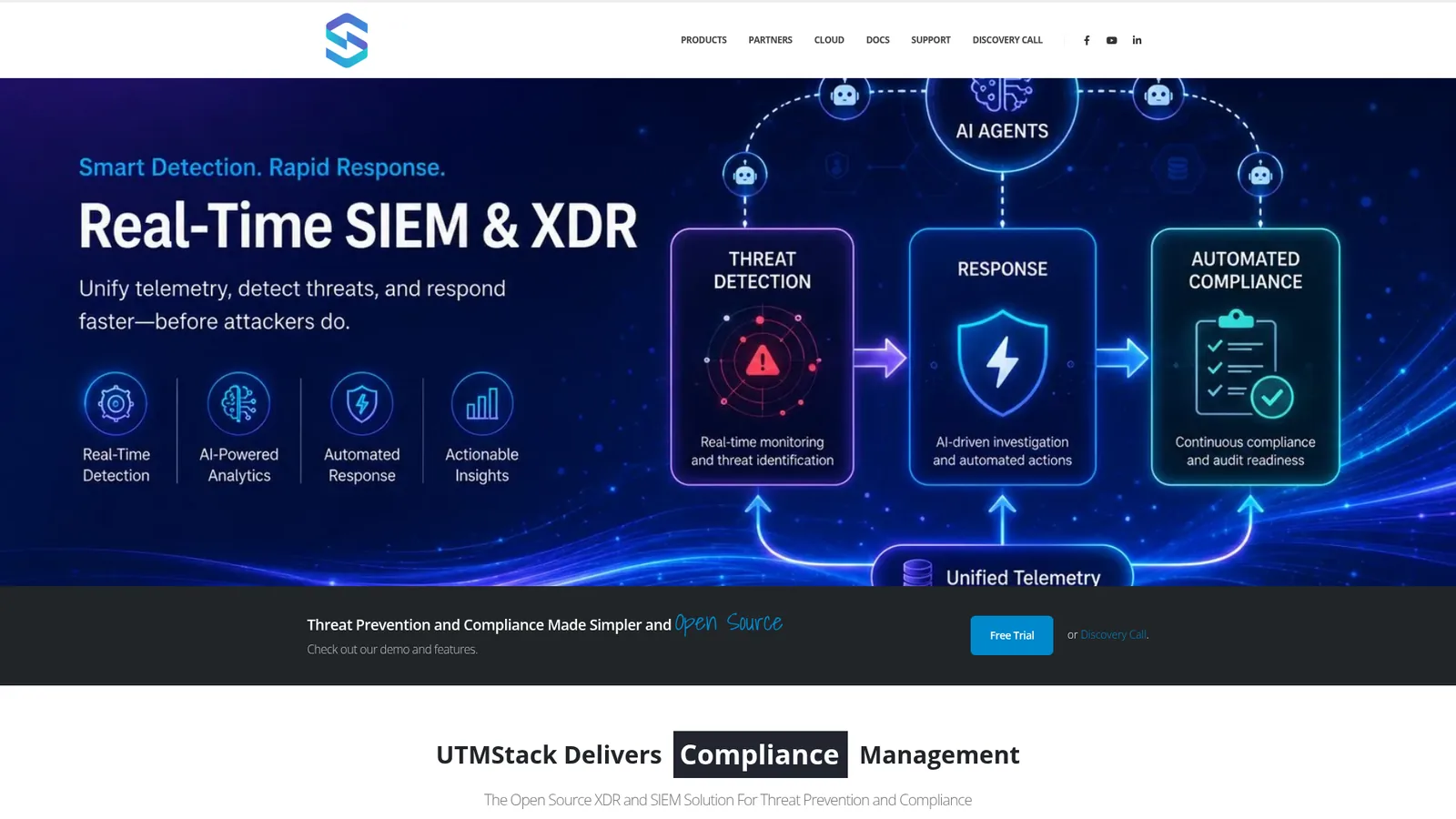
What it is: a combined SIEM and XDR aimed at small and mid-size organisations, with a single installer, built-in compliance reporting and a cloud option from the same company. Version 11 is current.
Licence: AGPLv3. OSI approved. The AGPL clause means a modified version offered as a service must publish its source, which is deliberate: it protects the vendor's own hosted product.
Minimum hardware (official): the README sizes the smallest node at 4 cores, 16 GB RAM and 150 GB disk for 50 data sources with one month of hot storage (about 120 GB), scaling to 32 cores, 64 GB and 1 TB for 500 sources, beyond which you add nodes. Those figures are for Ubuntu 22.04.
Real cost to operate: 16 GB for a single box, twice Wazuh's floor. In exchange the installer does the assembly that OpenSearch and Elastic leave to you.
Trains you for: the generalist seat at a small SOC or an MSP, where one person owns ingest, detection and the compliance report.
Do not use it when: you want a large community to lean on. UTMStack is one company's project. When a parser breaks at 2 a.m. the answer is on their Discord or nowhere, and far fewer hiring managers have heard of it than of Wazuh or Elastic.
8. Grafana Loki
What it is: a log aggregation system from Grafana Labs, modelled on Prometheus, that indexes a small set of labels per stream instead of the log contents and stores the chunks on local disk or in object storage. It is a log management tool rather than a SIEM, and it is on this list because a SOC that already runs Grafana for metrics tends to put its logs in Loki too.
Licence: AGPL-3.0-only for the core since Grafana Labs moved its projects to AGPL in April 2021. The repository's LICENSING.md keeps the client libraries, the push API and a few shared packages under Apache 2.0. OSI approved. Current version is 3.7.7.
Minimum hardware (official): none for a single node. The sizing guide covers microservices mode only, and its smallest tier is written for under 3 TB a day, with the ingester alone requesting 2 CPU and 4 GiB per replica across six replicas. The number that matters for a lab is on the deployment modes page: monolithic mode, one binary with every component inside, is rated for up to approximately 20 GB of logs a day, which is more than a home network writes in a month.
Real cost to operate: the lowest on this page. One Go binary, a Grafana instance beside it and Alloy or Promtail shipping the logs. Memory grows with the number of label combinations, so the ongoing cost is restraint: put a user ID or a source IP in a label and the index that was supposed to stay small stops being small.
Trains you for: LogQL and Grafana, which turn up in platform, SRE and detection engineering postings alike. Pulling failed SSH logins out of journald with a LogQL filter and graphing them per host is a real skill, and a Grafana alert rule on that query is the closest Loki gets to a detection.
Do not use it when: you want a SIEM. Loki has no parsers at ingest, no correlation engine, no ATT&CK mapping and no case management. It is where the logs live; the detection has to come from alert rules you write or from a tool that reads Loki. On this list it plays the role Graylog plays, on a fraction of the hardware and under a licence the OSI approves.
A note on Splunk Free
Splunk Free is not open source. It is a free licence for proprietary software. According to the Splunk Enterprise 10.4 admin manual, the Free licence indexes up to 500 MB a day and issues a violation warning above that; repeated violations block search. You can bulk-load a larger dataset up to twice in a 30 day window. Alerts do not trigger. Users and roles stop working and anyone who reaches the instance is logged in as admin.
That makes Splunk Free a study aid for the search language before an interview at a Splunk shop. It is not a SIEM you can leave running, and comparing it to Wazuh on equal terms is a category error. If you are weighing the commercial platforms, the Splunk vs QRadar vs Sentinel comparison is the right page.
What none of these give you
Four costs show up on every deployment and on no download page.
Hardware. The table above is the vendor's minimum, which is where the software starts, not where it is useful. Security Onion says so itself: 24 GB is the floor and 32 GB is the recommendation for «even a small amount» of traffic. Plan around the next number up.
Hours. A commercial SIEM sells you parsers for the log sources you own. An open source one gives you a parser framework. The gap is a weekend per log source at the start, and a broken extractor every time a vendor changes a log format.
Rule tuning. Wazuh ships thousands of rules, Elastic ships hundreds of prebuilt detections, OpenSearch ships a Sigma library, and on day one all of them fire. Turning that into a queue an analyst can work is the skill the job pays for, and no tool ships it.
Support. There is no phone number. The forum helps with the problem someone else has already had. For the one nobody has had, you are the support team.
Which one to install first, by the job you want
Pick the tool the job uses, then learn the job. The most downloaded tool and the one your target employer runs are rarely the same thing.
If you want a Tier 1 SOC analyst seat, install Wazuh first. It runs on 8 GiB, its alerts carry ATT&CK technique IDs, and its workflow is the shift you will work. Add Security Onion in Eval mode when you have a second machine, so that you can explain a Zeek connection log in the interview. Pair the lab with Security+ if you need a credential a recruiter filter recognises, and follow the SOC analyst roadmap for the sequence.
If you want to be a detection engineer, start on OpenSearch Security Analytics and write Sigma rules against logs you generated yourself. Move to Elastic Security when you have the memory for it. Graylog is worth a month in between if pipelines and normalisation interest you, since that is where most detections die, and Loki is the place to learn LogQL if the SOC you are aiming at runs Grafana.
If you are heading for GRC or compliance, OSSEC's PCI mapping and UTMStack's compliance dashboards matter more than the analyst tooling, and both run on hardware you already own. Learn what file integrity monitoring produces and why an auditor asks for it.
Whichever lane you choose, run one tool for three months before you touch a second. A hiring manager would rather see one Wazuh deployment with a hundred tuned rules and a written incident than five installs with default dashboards. The home lab guide has the hardware list; this article has the software.
FAQ: open source SIEM
What is the best open source SIEM in 2026? For most people, Wazuh. It carries a real open source licence (GPLv2), its quickstart documents a concrete 4 vCPU, 8 GiB RAM, 50 GB footprint for up to 25 agents, and the agent-based alert workflow maps directly to a Tier 1 SOC analyst job. Security Onion is the better choice if you want to learn network security monitoring with Zeek and Suricata, but it needs 24 GB of RAM in standalone mode and its code is under the Elastic License 2.0, not an OSI licence. If you only want a search and detection backend to build on, OpenSearch Security Analytics under Apache 2.0 is the cleanest licence on the list.
Is the ELK stack still open source? Yes, as of September 2024. Elastic added AGPLv3, an OSI approved licence, as an option for the free portions of the Elasticsearch and Kibana source code, next to the SSPL and the Elastic License 2.0 that it had used since 2021. The default binary you download is still distributed under the Elastic License 2.0, and Elastic's client libraries stayed Apache 2.0 throughout. Articles that still say ELK is no longer open source are quoting the 2021 situation.
Is Security Onion open source? Security Onion is free to download and use, and it is built from open source components such as Suricata, Zeek and Elasticsearch. Its own code, however, is licensed under the Elastic License 2.0, which the Open Source Initiative has not approved. That matters for redistribution and for offering it as a managed service; it does not matter for a home lab or a single organisation running it internally.
How much RAM do I need to run a SIEM at home? It depends on the tool. Wazuh's all-in-one quickstart wants 8 GiB. Security Onion's Eval mode runs on 8 GB by skipping Logstash and Redis, but standalone mode needs 24 GB and the docs recommend 32 GB with any real traffic. UTMStack asks for 16 GB. OSSEC on its own has no meaningful footprint because it has no indexer or web interface. A used mini desktop with 16 GB of RAM covers Wazuh and Security Onion Eval; standalone Security Onion needs a machine you can fit 32 GB into.
Is Splunk Free open source, and what is its limit? No. Splunk Free is a free licence for proprietary software, not open source. According to the Splunk Enterprise 10.4 admin manual it indexes up to 500 MB a day, allows two larger bulk loads inside any 30 day window, stops you from searching after repeated licence violations, does not fire alerts, and turns off authentication so anyone reaching the instance is admin. It is useful for learning the Splunk search language before a job interview and for nothing else.

Daute built Unihackers after a decade defending airlines, managed SOCs and international organisations. He is an Associate C|CISO and a regular voice on AI and cybersecurity in international media. Silver Winner at the 2021 Cyber Security Excellence Awards. He teaches the way he wishes someone had taught him: skip the noise, train on what attackers actually do, and graduate people who are useful from day one.
View ProfileReady to Start Your Cybersecurity Career?
Join hundreds of professionals who've transitioned into cybersecurity with our hands-on bootcamp.